
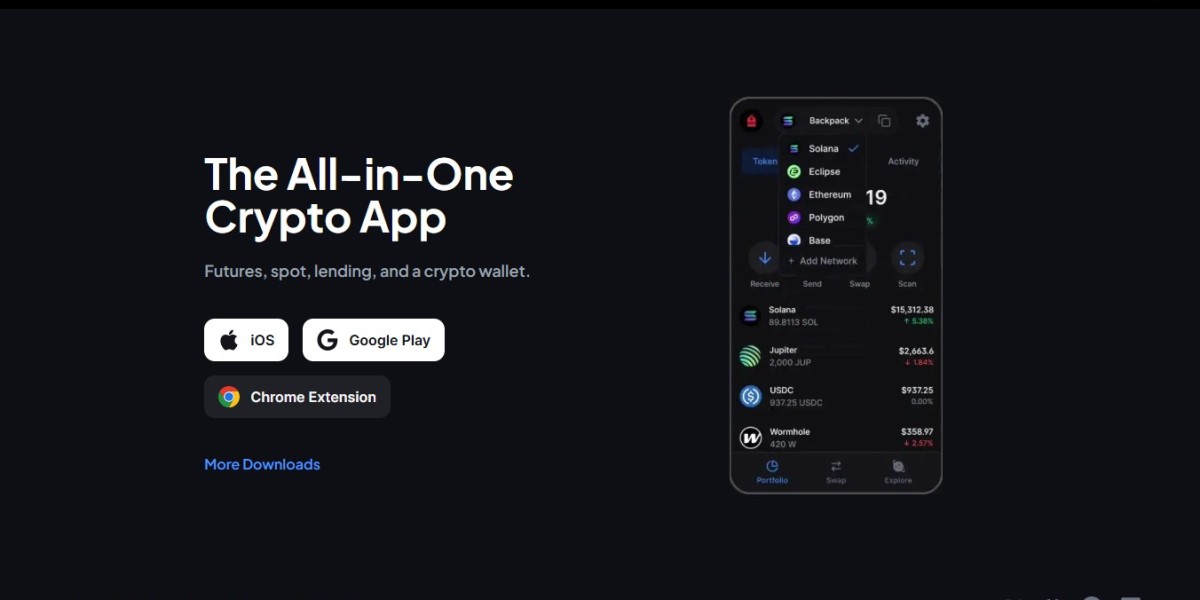
Cryptocurrency wallets have become an essential tool for people exploring digital assets, blockchain applications, and decentralized finance. A reliable wallet interface can make it easier to understand transactions, organize assets, and connect with supported Web3 applications. Backpack Wallet is a cryptocurrency wallet designed to help users access digital asset features through compatible mobile applications and browser extensions.
Whether you are learning about blockchain technology or looking for a wallet to explore supported networks, understanding Backpack Wallet's features and security practices can help you make informed decisions.
What Is Backpack Wallet?
Backpack Wallet is a self-custody cryptocurrency wallet associated with the Backpack ecosystem. It provides users with tools to manage supported digital assets and interact with compatible blockchain applications.
A self-custody wallet gives users responsibility for their wallet credentials and transaction approvals. This differs from a custodial account, where a third-party service controls the private keys on behalf of the customer.
Backpack offers wallet access through supported platforms, including browser extensions and mobile applications. Availability and features may vary depending on the platform, software version, and supported blockchain network.
Backpack Wallet Extension Features
The Backpack Wallet extension is designed to provide convenient access to wallet functions through a compatible browser. Users can explore supported blockchain applications without needing to manage every interaction through a separate website or application.
Digital Asset Management
Backpack Wallet can help users view and manage supported cryptocurrency assets. The wallet interface provides access to account information and relevant transaction functions, depending on the selected network.
Web3 Application Connectivity
Compatible decentralized applications may allow users to connect their Backpack Wallet. Before connecting, review the application's website and understand what permissions it is requesting.
Connecting a wallet does not automatically mean that an application is trustworthy. Always evaluate the platform before sharing public wallet information or approving transactions.
NFT and Digital Collectibles
Backpack has supported NFT-related functionality within its wallet ecosystem. Users interested in digital collectibles should check the current application features and supported networks before transferring or interacting with an asset.
Browser-Based Access
A browser extension can make wallet access convenient during Web3 activities. Users should install the extension only through a verified source and confirm that the publisher and extension details match the legitimate wallet.
How to Download the Backpack Wallet Extension
Before downloading Backpack Wallet, take a moment to verify the source. Cryptocurrency wallet software is a common target for phishing websites and counterfeit browser extensions.
Follow these general steps:
Step 1: Visit the Verified Website
Open the official Backpack website by entering the address directly into your browser. Check the domain carefully and avoid suspicious advertisements or unfamiliar download links.
Step 2: Choose the Compatible Platform
Visit the download section and select the browser extension or mobile application that matches your device. Check the supported browser and operating system requirements.
Step 3: Review the Extension Details
Before installing, verify the extension name, publisher, permissions, and available information. Avoid extensions that imitate the wallet or request unnecessary access.
Step 4: Complete Wallet Setup
Open the installed application and follow its setup instructions. If you create a new wallet, carefully record the recovery phrase provided during initialization.
Step 5: Secure Your Wallet
Choose a strong password or device security option where available. Store your recovery phrase privately and never disclose it to another person.
Understanding Backpack Wallet Security
Security is one of the most important considerations when using any cryptocurrency wallet. Backpack Wallet users should understand that self-custody provides control but also creates personal responsibility.
Your recovery phrase or private key may provide access to your digital assets. Anyone who obtains this information could potentially take control of your wallet.
Never share your recovery phrase with customer support, online forms, social-media accounts, or websites claiming to verify your wallet. Legitimate wallet support should not require your secret recovery phrase.
Keep your browser and operating system updated. Use trusted networks, avoid suspicious downloads, and carefully inspect transaction details before approving them.
Connecting Backpack Wallet to Web3
Wallet connections allow users to interact with compatible decentralized applications. During a connection request, an application may ask for permission to access your public wallet address.
Before approving a connection, check the website address and confirm that you recognize the application. Be cautious when signing messages or approving transactions because some requests may have consequences beyond simply connecting your wallet.
If a transaction appears unfamiliar, cancel it and investigate before continuing.
Common Backpack Wallet Mistakes to Avoid
New wallet users can improve their security by avoiding these common mistakes:
Downloading wallet extensions from unofficial sources.
Sharing recovery phrases or private keys.
Approving unknown transaction requests.
Connecting to suspicious decentralized applications.
Ignoring network and transaction fee details.
Storing recovery information in unsecured digital files.
Trusting fake support messages or urgent wallet alerts.
Following these precautions can help reduce the risk of phishing, unauthorized access, and accidental loss of cryptocurrency.
Frequently Asked Questions
Is Backpack Wallet a self-custody wallet?
Backpack provides wallet functionality that allows users to manage supported digital assets. Users should review the wallet's current terms and setup information to understand how custody and account security work for the specific product they use.
Can I use Backpack Wallet as a browser extension?
Yes. Backpack provides a browser extension for supported browsers. Check its verified download page for current availability.
Is Backpack Wallet free to download?
The wallet software may be available without a standard purchase fee. However, blockchain transactions and certain integrated services may involve network or service fees.
How can I protect my Backpack Wallet?
Use authentic software, protect your recovery phrase, verify transaction details, and avoid suspicious wallet connections.
Conclusion
Backpack Wallet introduces users to a wallet experience designed for exploring supported digital assets and Web3 applications. Its browser extension and mobile access can provide convenient ways to interact with the Backpack ecosystem.
Before installing any cryptocurrency wallet, verify the download source and understand the security responsibilities associated with self-custody. Protect your recovery phrase, review wallet permissions, and confirm every transaction carefully. Responsible wallet management is an important foundation for a safer blockchain experience.


