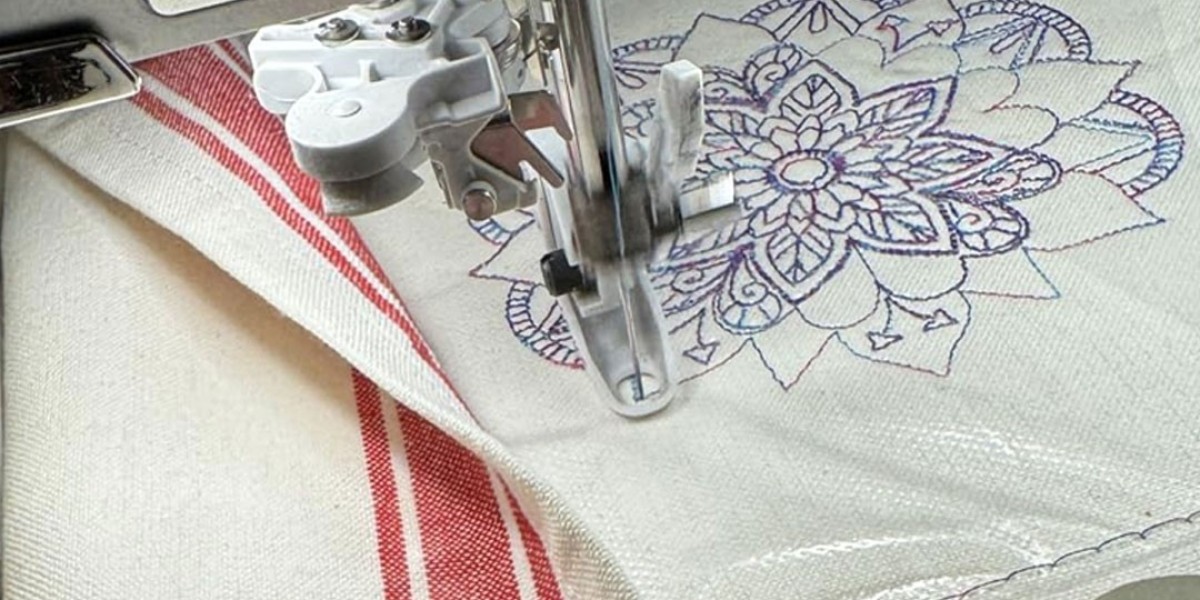
You have a logo that represents your brand. It looks perfect on your website, business cards, and marketing materials. Now you want to stitch it onto uniforms or promotional items using your older Pfaff or Husqvarna Viking machine. These machines are reliable workhorses that have served embroiderers for decades. But they need files in the right format. Understanding what goes into high-quality conversion when you Convert Logo to VIP Embroidery File ensures your embroidery looks as professional as your print materials.
VIP is a legacy embroidery format used by Pfaff and Husqvarna Viking machines after their merger in the late 1990s. It contains stitch data, color change information, and design instructions that tell your machine exactly how to recreate your logo. While newer machines have moved to VP3 and VP4, many loyal users still run VIP-based equipment that stitches beautifully.
Let me walk you through everything that goes into creating a high-quality VIP file for your logo.
Understanding the VIP Format
Before we dive into quality factors, you need to understand what VIP files actually are and why they matter.
VIP stands for a proprietary embroidery format developed after the Husqvarna-Viking and Pfaff merger. It served as the native design file for many machines in the late 1990s and early 2000s.
What VIP includes:
Stitch coordinates and commands
Color change information
Basic design metadata
Machine instructions for Pfaff and Viking equipment
What VIP does NOT contain:
Advanced editing capabilities found in new formats
Detailed thread color information (only change points)
Object-based design data (everything is flattened)
Why VIP quality matters: Unlike modern formats that store object information, VIP is a "stitch file" that contains only the final stitch data. This means every decision about stitch types, underlay, density, and compensation must be made during digitizing. You cannot easily edit a VIP file later. The quality of the initial conversion determines the final result permanently.
The Anatomy of a High-Quality VIP File
What separates an amateur VIP conversion from a professional one? Several factors contribute to quality.
Clean Stitch Transitions
In a high-quality VIP file, stitches transition smoothly between colors and elements. There are no abrupt starts or stops. The thread flows continuously where it should, with trims only where necessary.
Poor quality: Abrupt color changes, excessive trims, messy jump stitches visible on the front.
High quality: Smooth transitions, minimal trims, jump stitches hidden under other stitching.
Proper Stitch Types
Each element of your logo needs the appropriate stitch type to look its best.
Satin stitches should be used for borders, text, and narrow columns. They create smooth, shiny edges that define shapes clearly.
Fill stitches should cover large solid areas evenly. The texture should be consistent with no gaps or overlaps.
Running stitches should handle fine lines and details with precision.
High-quality VIP files use the right stitch type for every element, never forcing satin where fills belong or vice versa.
Appropriate Density
Stitch density controls coverage and feel. A high-quality VIP file balances these perfectly.
For light fabrics: Enough density to prevent show-through, but not so much that the fabric puckers.
For heavy fabrics: Lower density to prevent stiffness, but enough to maintain coverage.
For stretchy materials: Density that allows the fabric to move without distorting the design.
Effective Underlay
Underlay is the hidden foundation of professional embroidery. In a high-quality VIP file, underlay is engineered for your specific fabric.
For stable wovens: Edge run underlay prevents edges from sinking.
For stretchy knits: Center run or zigzag underlay stabilizes the fabric.
For caps: Specialized underlay accounts for the curve and structure.
You never see good underlay, but you would notice immediately if it were missing.
Accurate Pull Compensation
Thread tension pulls fabric together during stitching. High-quality VIP files account for this with precise compensation.
Compensation values are calculated based on fabric type, not guessed.
The result: Your logo stitches at exactly the intended size. Outlines align with fills. Text stays crisp and readable.
Optimized Stitch Path
The order in which the machine stitches affects production time and quality. High-quality VIP files have optimized paths that:
Group similar colors together
Minimize trims and jumps
Keep the machine moving efficiently
Maintain registration between colors
Correct Color Sequence
While VIP files do not store specific thread colors, they mark where changes happen. High-quality VIP files have logical color sequences that make production smooth.
The Professional Conversion Process
Creating a high-quality VIP file involves a systematic process that professionals follow.
Step 1: Artwork Analysis
The digitizer studies your logo carefully. They identify:
What makes it unique and must be preserved
Potential trouble spots (small text, fine lines)
Color relationships and registration points
Overall complexity and stitch count implications
Step 2: Fabric Consideration
Your digitizer asks about your specific materials. This information drives decisions about underlay, density, and compensation.
For caps: Center-out sequencing and specialized techniques
For knits: Higher compensation and more underlay
For wovens: Standard settings with appropriate adjustments
Step 3: Vector Preparation
If your logo is a raster image, the digitizer may create clean vector paths first. This ensures mathematically precise outlines before any stitching is added.
Step 4: Manual Digitizing
Using professional software like Wilcom or Pulse, the digitizer manually maps each element of your logo. They:
Create objects for each shape
Assign appropriate stitch types
Set stitch directions intentionally
Add underlay based on fabric
Calibrate density for coverage and feel
Apply precise pull compensation
Step 5: Path Optimization
They plan the stitch sequence for efficiency and quality:
Group similar colors together
Minimize trims and jumps
Ensure proper registration between colors
Optimize for your specific machine
Step 6: Simulation and Review
Before exporting, they use simulation software to watch the stitch design. They check for:
Inefficient paths
Density issues
Registration problems
Overall appearance
Step 7: Export as VIP
When the design is perfect, they export it as a VIP file. They also save a master file in the software's native format for future edits.
Step 8: Testing
Many professionals test the file on actual fabric before delivery. This catches issues that screens cannot reveal.
Software for Creating High-Quality VIP Files
Professional results require professional tools. These software options support VIP format.
Wilcom Embroidery Studio
The industry standard for professional digitization. Offers complete control over every stitch parameter and supports VIP export.
Hatch Embroidery
Professional-grade tools at a more accessible price point. Supports VIP and other legacy formats.
Embrilliance
Modular software that runs on both Mac and Windows. With appropriate modules, can export to VIP .
Pulse Ambassador
Free viewer and converter from the Pulse ecosystem. Supports various formats including those compatible with older machines.
Common Quality Problems in VIP Conversion
Jagged Edges
Caused by poor digitizing or low-resolution source artwork. Professional conversion uses clean vector paths to ensure smooth edges.
Uneven Fills
Results from inconsistent density or poor stitch angle planning. Quality files have even, consistent fill areas.
Registration Issues
Colors misalign because of inadequate pull compensation or poor path sequencing. Professional files account for fabric distortion.
Thread Breaks
Often caused by density that is too high or stitch angles that create tension. Well-digitized files balance density and use appropriate angles.
Puckering
Results from density that is too high or underlay that is insufficient for the fabric. Quality files match settings to material.
When to Invest in High-Quality VIP Conversion
Not every project needs the same level of quality. Invest in professional conversion when:
Your logo is complex. Fine details, small text, and multiple colors require expert handling.
The application is important. Corporate uniforms, client gifts, and retail products need to look their best.
You will reuse the design. A high-quality master file serves you for years.
Production volume is high. Good files save time on every piece, adding up to significant savings.
Your brand standards are strict. Professional conversion ensures your logo appears exactly as designed.
Professional Digitizing Services for VIP
Companies like Absolute Digitizing , Digitizing Buddy , Cool Embroidery Design , and Absolute Digitizer specialize in high-quality VIP conversion for older Pfaff and Viking machines.
What they offer:
Manual digitizing by experienced professionals
Fabric-specific optimization
Free revisions until you are satisfied
Fast turnaround, often 2-24 hours
Files in all major formats
Pricing: Starting around $10-15 per design, a small investment for professional results.
Conclusion
High-quality conversion of your logo to VIP embroidery file format requires understanding the unique characteristics of this legacy format. VIP files are stitch files, not object files. Every decision about stitch types, underlay, density, compensation, and pathing must be made during digitizing and cannot be easily changed later.
Professional conversion delivers:
Clean stitch transitions
Appropriate stitch types
Balanced density
Effective underlay
Accurate pull compensation
Optimized stitch paths
Correct color sequences
Whether you choose to learn professional software yourself or partner with expert digitizers, investing in quality ensures your VIP files produce flawless embroidery that represents your brand with pride.
Your older Pfaff or Viking machine can still create beautiful work. Feed it high-quality VIP files, and it will reward you with smooth stitching and professional results, project after project.